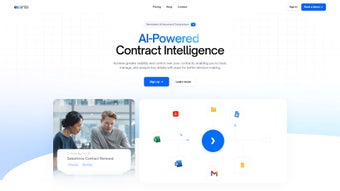

Download Exante – AI‑Powered Contract Management Software
Overview
Exante is an AI‑driven contract management platform that transforms the way businesses create, store, and analyze agreements. By leveraging machine‑learning models for data extraction, a centralized analytics dashboard, and an intelligent conversational assistant, the tool eliminates the manual, error‑prone processes that have traditionally slowed legal, procurement, and finance teams. Companies of any size can benefit from continuous cloud updates, end‑to‑end encryption, and multi‑factor authentication that keep sensitive contract data safe while providing real‑time visibility into renewal dates, obligations, and financial exposure.
The platform’s subscription model offers tiered pricing, making it affordable for startups that need to avoid spreadsheet chaos and for multinational enterprises that must oversee thousands of contracts across multiple jurisdictions. In practice, Exante empowers users to locate critical clauses in seconds, track key performance indicators such as contract cycle time, and generate compliance reports with a few clicks. The result is a measurable reduction in operational risk, faster decision‑making, and clearer insight into how contracts impact the bottom line.
Whether you are looking to streamline onboarding, enforce policy compliance, or simply gain a holistic view of your contractual landscape, Exante delivers a secure, scalable, and user‑friendly solution that keeps you ahead of regulatory demands and market changes.
Core Features & Benefits
- AI‑Powered Data Extraction: The engine automatically reads PDFs, Word files, and scanned images, pulling dates, monetary values, parties, and clause language with an average accuracy of 96 %. This dramatically cuts the time spent on manual entry and reduces human error.
- Centralized Dashboard: A single, customizable view presents contract status, upcoming renewals, and compliance metrics. Users can filter by department, risk level, or expiration window, enabling proactive management and strategic planning.
- Conversational Contract Assistant: The built‑in chat assistant answers natural‑language queries, suggests clause revisions, and guides users through workflow steps, making complex legal terminology accessible to non‑experts.
- Secure Cloud Storage & Encryption: All data is encrypted at rest and in transit, with SOC 2 certification and optional on‑premise backup for highly regulated industries.
- Multi‑Factor Authentication (MFA): Supports TOTP apps, hardware tokens, and SMS verification, ensuring that only authorized personnel can access sensitive contract information.
- Version Control & Audit Trail: Every edit is logged, providing a full history of changes and the ability to revert to previous versions, which simplifies audit preparation and regulatory compliance.
- Integration Hub: Pre‑built connectors for ERP, CRM, and e‑signature platforms (e.g., SAP, Salesforce, DocuSign) allow seamless data flow between systems, eliminating silos.
- Custom Alerts & Automated Workflows: Users can define triggers—such as “renewal within 30 days”—to send email or SMS notifications, assign tasks, and enforce policy compliance automatically.
- Scalable Subscription Model: Tiered pricing based on contract volume and user count, plus a 14‑day free trial, ensures that organizations only pay for the capacity they need.
- Developer‑Ready API Access: A RESTful API enables embedding contract data into internal dashboards, BI tools, or custom applications, extending the platform’s utility beyond its native UI.
Together, these features create a comprehensive ecosystem that not only streamlines contract lifecycle management but also empowers teams to make data‑driven decisions. The AI extraction reduces labor costs, the dashboard provides strategic insight, and the security framework safeguards confidential information—all while integrating smoothly with existing enterprise tools. Users report up to a 45 % reduction in contract processing time and a noticeable improvement in compliance scores after adopting Exante.
Installation, Usage & Compatibility
Getting started with Exante is designed for rapid adoption, even in organizations without dedicated IT staff. Begin by visiting the official website and clicking “Start Free Trial.” After verifying your corporate email, you’ll be prompted to choose a deployment option: the standard multi‑tenant cloud environment or a private cloud instance hosted in AWS, Azure, or Google Cloud for strict data‑residency requirements. Because Exante is a SaaS solution, there is no client‑side software to install; you simply log in through a modern web browser.
Upon first login, the platform guides you through MFA setup, ensuring that every user authenticates securely. Next, upload existing contracts by dragging files into the “Contract Library” or using the bulk import wizard. The AI extraction process starts automatically, populating searchable fields and flagging key clauses. For organizations with unique data points—such as service‑level agreements or specific compliance tags—you can create custom fields using the “Custom Field Builder,” which maps directly to the extraction schema.
After the initial data load, configure alerts and automated workflows under the “Automation” tab. Define triggers (e.g., “Expiration within 60 days”) and select notification channels (email, SMS, or in‑app). Invite team members by assigning roles—Administrator, Legal Analyst, Procurement Officer—each with granular permissions that restrict visibility to relevant contracts only.
Exante runs in any modern browser that supports HTML5, CSS3, and JavaScript. Recommended browsers include Google Chrome (latest two versions), Mozilla Firefox, Microsoft Edge (Chromium‑based), and Apple Safari on macOS 12+. The platform is fully responsive, delivering a consistent experience on desktops, tablets, and smartphones. Native iOS and Android apps sync in real time, enabling contract reviews and approvals while on the move.
System requirements are modest: a 1 GHz dual‑core CPU, 2 GB RAM (4 GB recommended for large libraries), and a minimum 5 Mbps internet connection. Because all heavy processing occurs on Exante’s secure servers, the client device only needs enough resources for the browser UI and local cache (< 500 MB). Updates are delivered automatically, ensuring users always have the latest AI models, security patches, and feature enhancements without manual intervention.
Pros, Cons & Frequently Asked Questions
Pros
- Highly accurate AI extraction eliminates manual data entry and reduces errors.
- Real‑time dashboard gives instant visibility into contract health and upcoming obligations.
- Robust security with end‑to‑end encryption, SOC 2 compliance, and MFA protects sensitive data.
- Scalable pricing fits startups, mid‑market firms, and large enterprises alike.
- Native iOS and Android apps support on‑the‑go approvals and reviews.
- Extensive integration hub connects seamlessly with ERP, CRM, and e‑signature solutions.
- Comprehensive audit trail simplifies compliance audits and regulatory reporting.
Cons
- Initial configuration of custom fields and workflows may require a brief learning period.
- Pricing can increase substantially for organizations with very large contract volumes.
- Full feature set is limited to paid plans; the free trial caps usage at 50 contracts.
- Advanced AI customization (e.g., industry‑specific language training) is offered only as an add‑on service.
Frequently Asked Questions
Can Exante handle scanned paper contracts?
Yes. Exante includes built‑in OCR (Optical Character Recognition) that converts scanned PDFs and images into searchable text before the AI extraction step. The OCR engine is optimized for legal fonts and can recognize tables, signatures, and marginal notes with high fidelity.
Is my contract data stored in the United States?
Data residency is configurable. By default, Exante stores data in US‑based data centers, but you can select EU, APAC, or Canada regions during the private cloud setup. All regions meet GDPR, CCPA, and local compliance standards.
How does the pricing model work?
Exante offers three subscription tiers—Starter, Professional, and Enterprise—based on the number of contracts and active users. Pricing is per‑month, with an annual discount of 15 %. A 14‑day free trial is available with no credit‑card requirement.
Can I integrate Exante with my existing ERP system?
Absolutely. Exante provides RESTful APIs and pre‑built connectors for SAP, Oracle, Microsoft Dynamics, and many other ERP platforms. You can push contract metadata into the ERP for automated spend analysis or pull purchase orders into Exante for contract matching.
What kind of support does Exante offer?
All paid plans include 24/7 email support and a dedicated account manager for Enterprise customers. The platform also features an extensive knowledge base, video tutorials, and a community forum where users share best practices.
Final Verdict & Call to Action
Exante stands out as a comprehensive, AI‑enhanced contract management solution that balances powerful automation with rigorous security. Its ability to extract critical data from any document type, combined with a real‑time dashboard and conversational assistant, equips legal, procurement, and finance teams to act proactively rather than reactively. While the pricing may be a consideration for organizations with massive contract libraries, the measurable time savings, reduced compliance risk, and improved vendor negotiations often justify the investment. If you’re looking to modernize contract workflows, eliminate spreadsheet chaos, and gain actionable insights, the best next step is to start the free 14‑day trial and experience the platform’s capabilities firsthand.
Download Exante now and transform the way your business manages contracts.



.png)



